My Hosting Experience With Kamatera
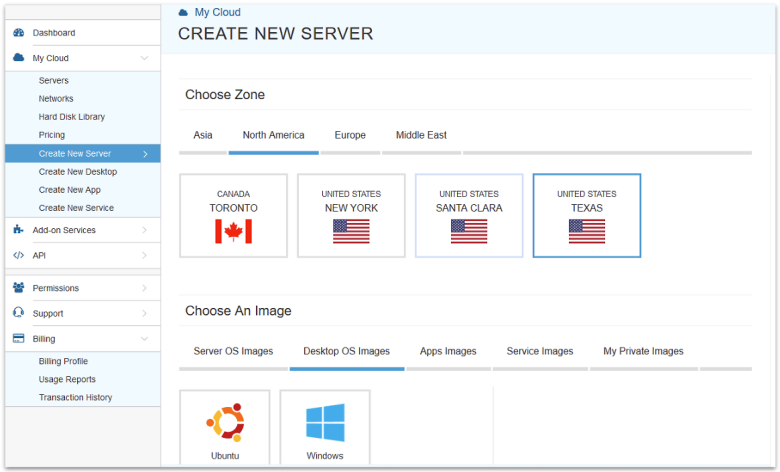
This is the section where things went a little downhill, if I’m honest. Don’t get me wrong, actually using the service is pretty easy. The UI is clean, clear, and usable. Starting up a new server (and managing your existing servers) is simple stuff. I literally have no complaints.
Creating a New Account with Kamatera
The problems I ran into involve all those handy preconfigured server images I mentioned above. Basically, creating a new account and connecting a domain are no easy feat with Kamatera. I’m an I-can-Google-this-maybe sort of system administrator at best, and to use this hosting service, you’ll want an expert. Let me explain.
Connecting a Domain and Installing WordPress
I wanted a WordPress site, so I figured, just grab the WordPress image, right? Well, the pre-built WordPress image comes with Ubuntu 18.04, NGINX, and PHP 7.2. A little dated, but not too shabby. It all installed fine, and everything was easy to set up.
Except the domain name. Turns out to get that working right, you have to point your domain name at the server (easy), configure the NGINX server to listen on that domain manually in the config files (uhhh… less easy for me), and then… get WordPress to stop telling you that it can’t find the database when you change its URL settings (pain in my butt).
See, I’m sure all of these problems have perfectly reasonable solutions, and if I knew more about the inner workings of both the NGINX server and WordPress, I could probably have gotten my domain working.
But I didn’t want to do that. I wanted to start up a website and have it work without me thinking too hard.
Eventually I just deleted that server and started a new one with the Plesk control panel, which had pretty much the same OS and software installed. I was able to install WordPress and get the domain working for the duration of Plesk’s free trial.
And then the Plesk panel kept crashing, giving me 502 errors, all because something called “sw-engine.service” kept crashing. Fortunately, the WordPress site itself stayed up, and allowed me to keep testing.
And that’s the only reason I didn’t scrap everything, start over with a fresh CentOS server, and do it all from “semi-scratch” with CyberPanel.
The short version is this: some of the preconfigured servers come with problems baked in. Not only would I not recommend Kamatera for beginners, I wouldn’t touch the service unless I was ready and willing to get my hands dirty in the command line. If you’re looking for something more beginner-friendly, Liquid Web has some decent cloud/VPS solutions.
Other Ease of Use Features
Full Server Control With Low Pricing to Match
The above won’t be a deal-breaker for everyone. If you’re the kind of person who likes building your own server from scratch, Kamatera’s affordable pricing and solid performance might well be what you want. And you don’t even necessarily have to do it yourself… if you’re willing to pay.
Server Management Services for a Flat Monthly Rate
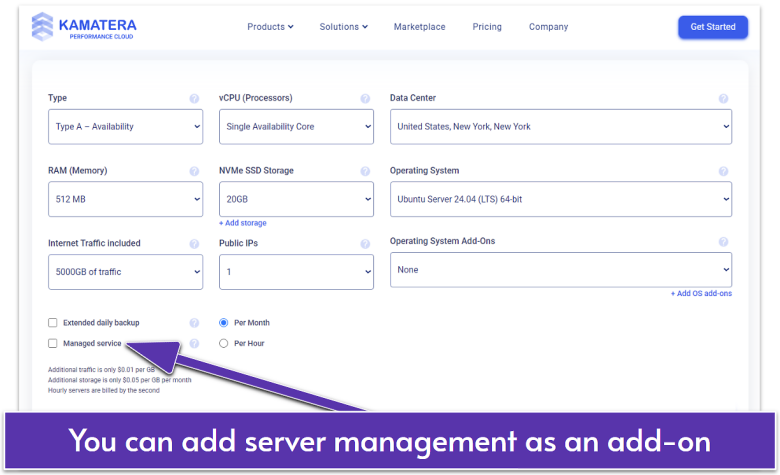
If you want a server that’s configured and maintained, and generally kept working by someone else, you have that option. For a pretty substantial fee every month (well, substantial for people on a budget), you can have the Kamatera team do everything for you.
That includes setup, server installation and configuration, troubleshooting, everything. For a medium-sized business, or even a small business that’s making money off its site, this is a perfectly reasonable way to do things and could save you a lot of trouble. This add-on is priced at a flat monthly fee, so whether you’re running a fairly new e-commerce site or a complex server network, you’ll pay the same price every month.
This, you could say, is the “beginner option.” Being a beginner has its costs, I guess.
Customizable Server Dashboard (Everyone Gets This)
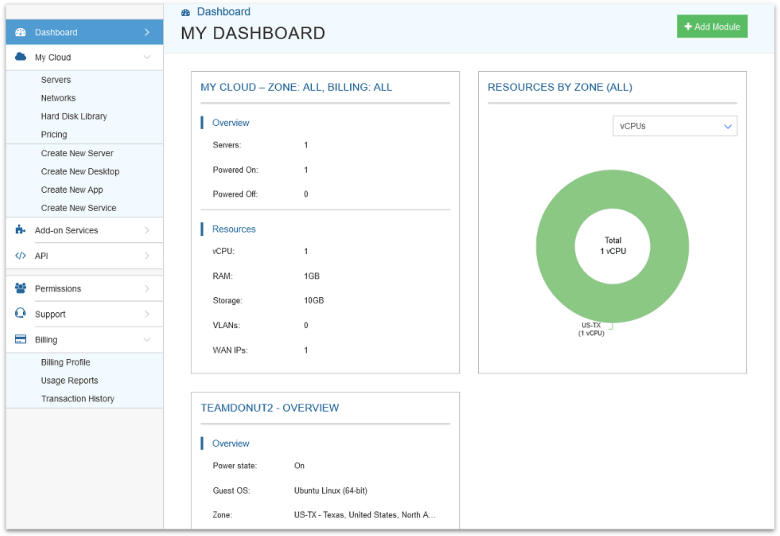
With Kamatera, you can set up your own custom server management dashboard to tell you how many resources your servers are using, what kind of traffic they’re getting (but not analytics), and all that good statistical stuff.
It’s a small thing, maybe, but I like being able to configure exactly what information I can see at a glance.